
Як вибрати ноутбук та купити ноутбук?
Вибрати ноутбук – Завдання не з простих, і підходити до вирішення цього питання треба не менш серйозно, ніж до придбання будь-якої іншої техніки. Як і у випадку покупки настільного комп’ютера багато в чому при виборі приділяється увага технічним характеристикам ноутбука. Але тут також важливі і фізичні розміри пристрою, вага і зручність користування (ергономіка). В залежності від цілей, для яких ноутбук купується, звужуватиметься коло пропонованих моделей. При цьому завжди треба пам’ятати, що апгрейд в майбутньому буде майже неможливий, тому варто вибирати ноутбук з усіма необхідними можливостями.
Звертаючись до Нас в Ужгороді ви зекономите купу свого часу та нервів при купівлі ноутбука. Ми допоможемо Вам купити ноутбук в Ужгороді. Також можем запропонувати Вам купівлю ноутбука в кредит.
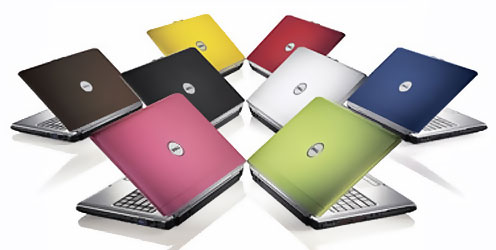
- Екран (дисплей) ноутбука, матриця
Завдання, які поставлені для переносного комп’ютера, грають вирішальну роль у питанні вибору ноутбука. З великим дисплеєм зручніше працювати, але компактність і менша вага має свої позитивні сторони. Ноутбук з діагоналлю дисплея 17 і 15,4 дюймів можна використовувати як для ігор, так і для офісної роботи. Як правило, такі ноутбуки завдяки своїм розмірам укомплектовані не гірше за будь-настільного комп’ютера і в повній мірі здатні його замінити. Якщо ж важливий фактор мобільності, оптимальний варіант вибір ноутбука з екраном на 10 або 12 дюймів.
Дозвіл екрану ноутбука також сильно впливає на вибір тієї чи іншої моделі. Найбільш поширеними є наступні дозволи: XGA (1024х768), WXGA (1280х800), WXGA + (1440х900) або SXGA + (1400 х 1050 пікселів). Для роботи з текстом досить ноутбука з роздільною здатністю XGA. У той же час для роботи з графікою, краще буде ноутбук з роздільною здатністю WUXGA (1920х1200). Високий дозвіл також позитивно позначається при прогляданні фільмів, а також підходить для ігор. Важливо при виборі ноутбука знати про технології, які використовуються у виробництві дисплеїв. Всього їх три, і кожна з них має свої переваги і недоліки.
Найдешевша технологія Twisted Nematic (TN, STN, TN + Film). Її основні переваги – хороший час реакції і низьке енергоспоживання, але в іншому вона програє. Перенесення кольорів, контрастність і кути огляду володіють низькими показниками. Особливість технології в тому, що биті пікселі виявляються яскраво-білим світлом, на інших типах дисплеїв вони будуть чорними. Ця технологія до цих пір використовується в бюджетних моделях із-за її невисокої вартості.
На сьогоднішній день оптимальний варіант, ноутбук з матрицею, виготовленою за технологією M ulti-Domain Vertical Alignment (MVA). Ці дисплеї володіють кращою у порівнянні з TN перенесенням кольорів, високою яскравістю і контрастністю. Час відгуку в середньому складає 25 мс. Кути огляду в таких матрицях цілком достатні – до 160 градусів. Найкращою передачею кольору володіють матриці IPS (In Plane Switching). Обзорность може досягати 180 градусів як по горизонталі, так і по вертикалі. Але у даного виду дисплея буде великий час реакції і підвищене енергоспоживання. Плюс до всього технологія поки що дорога.
У специфікаціях до ноутбуків виробники не вказують тип матриці, а тільки додаткові технології, які використовуються для підвищення якості зображення. У багатьох ноутбуках Samsung і ASUS використовуються TN + Film матриці, для ноутбуків Fujitsu характерне застосування MVA-технології. Як би там не було, в одних моделях добиваються або хорошого часу відгуку і тривалого часу автономної роботи, інші роблять упор на якість зображення.
Для поліпшення якості зображення виробники застосовують на своїх дисплеях додаткові покриття. У такий спосіб добиваються більшої яскравості і збільшення кутів огляду. Перед тим вибрати ноутбук необхідно звернути увагу на покриття дисплея. Якщо поверхня екрану матова, значить вона захищена від відблисків. На глянцевому поверхні вірогідність відблисків більша, але зображення на таких екранах виглядає більш яскраво.
- Акумулятори (батареї) ноутбука
Час роботи ноутбука від одного заряду акумулятора є важливим критерієм при виборі. Ноутбук найчастіше використовується в якості переносного комп’ютера, тому час роботи повинен бути максимальним. Інакше він може вимкнутися в самий невідповідний момент. Якщо ноутбук набувається з урахуванням постійного близького знаходження до джерела живлення, то ємкість акумуляторної батареї стає менш важлива.
Мінімальний час ноутбука від акумулятора 2 години, тип батареї переважно Li-Ion. В даний час існують моделі, які здатні працювати до 8 годин, наприклад Sony Vaio VGH-TX650P. Але виробники вказують це значення при роботі в одному режимі з навантаженням нижче середньої. Тому при боргом знаходження в місцях, де заряджання недоступне, бажано відразу придбати до ноутбука додатковий акумулятор.
- Процесор ноутбука
Процесор – одна з головних складових будь-якого комп’ютера, в тому числі і ноутбука. Основним показником є тактова частота процесора. Крім того, є тонкощі, пов’язані з енергоспоживанням і тепловиділення процесора. Процесори, вживані в ноутбуках, відрізняються від тих, які встановлюються в настільні комп’ютери. Як у Intel, так і у AMD є спеціальні розробки для мобільних комп’ютерів. Ці процесори відрізняються впровадженням технологією по зниженню енергоспоживання. Якщо передбачається вибір ноутбука для роботи з офісними документами, то процесора з тактовою частотою 1 Ггц буде цілком достатньо. Для більш ресурсномістких додатків (ігор, графічних редакторів) бажаний ноутбук з процесором 2 ГГц і більше. Також, швидкість роботи буде залежати ще і від об’єму оперативної пам’яті.
Що ж до питання, з яким процесором виібрать ноутбук, то тут лідерство займає Intel. У більшості ноутбуків використовують процесори саме цього виробника. Головна перевага Intel – технологія SpeedStep, що дозволяє знижувати енергоспоживання процесора за рахунок зниження тактової частоти при просте або мінімальному навантаженні. А тепер і двохядерні процесори доступні для ноутбуків. На зміну Intel Centrino з’явилася нова версія процесорів для ноутбуків Intel Core Duo. Але не можна сказати, що процесори AMD сильно відстають в цій області. Версія AMD Turion 64 випущена спеціально для ноутбуків, де також використовується власна технологія (Power Now!) Щодо зниження енергоспоживання. Результати багатьох тестів показують, що при мінімальних навантаженнях (робота з текстом, прослуховування музики), процесори Intel споживають менше енергії. Якщо ж Ви збираєтеся купити ноутбук для роботи в графічних редакторах, то краще зупинитися на варіантах з процесором від AMD.
Ноутбук з більшою тактовою частотою процесора, крім високої продуктивності, краще ще і з тієї точки зору, що вони часто володіють нижчими показниками енергоспоживання. І як наслідок менше виділяють тепла, знижується рівень шуму від вентиляторів.
- Материнська плата
Виробник прагне зменшити розмір, вагу ноутбука, тому кожна модель має спеціальну материнську плату. Тому можливості її заміни при апгрейді не існує. Головне, щоб на ній був додатковий слот (один або два) для нарощування оперативної пам’яті.
- Жорсткий диск (HDD) ноутбука
Жорсткий диск (HDD) як для ноутбука, так і для настільного ПК залишається основним носієм інформації. З яким об’ємом жорсткого диска вибрати ноутбук, залежить від роду завдань, покладених на нього. Грунтуючись на моделях 2007 року, можна вибрати ноутбук з об’ємом вінчестера від 80 до 200 Гб. Природно, залежно від параметрів жорсткого диска змінюватиметься і вартість ноутбука.
Вінчестер ноутбука має свої особливості, пов’язані з прагненням виробників до компактності і зниження енергоспоживання кожної моделі. По-перше, вінчестери для ноутбуків менше за розмірами в порівнянні з тими, що стоять в настільних ПК. По-друге, який вибрати ноутбук буде залежати від швидкості обертання шпинделя жорсткого диска. З метою економії енергоспоживання жорсткі диски на ноутбуках мають швидкість обертання не більше 5400 об / хв, навіть при об’ємі 200 Гб. А для офісної роботи краще буде вибрати ноутбук з жорстким диском на 4200 об / хв.
Можливість заміни на жорсткий диск більшого об’єму залежить від кожної окремо взятої моделі. Тому перш, ніж вибрати ноутбук необхідно уточнити цю деталь. Завжди залишається варіант підключення додаткового зовнішнього жорсткого диска через PCMCIA-порт або Express Card, але таке рішення не завжди зручно.
- Оперативна пам’ять
Мінімальний об’єм оперативної пам’яті ноутбука необхідний для повноцінної роботи 256 Мб. Для роботи з ресурсномісткими додатками бажано вже купити ноутбук з оперативною пам’яттю починаючи від 512 Мб. Як і на звичайному комп’ютері при недоліку оперативної пам’яті частина даних прямуватиме на жорсткий диск. А це в свою чергу зменшить швидкість роботи і підвищить витрати енергії. Тому необхідність додаткового слота розширення оперативної пам’яті, повинно вплинути на те, який вибирати ноутбук. Причому, який тип (DDR або DDR2) буде використовуватися не є настільки важливою умовою, оскільки тести показують, що різниця у швидкості їх роботи незначна.
- Відеокарта ноутбука
Відеокарту для ноутбука вибирати не доводиться. Ноутбук має вже відеокартою встановленої виробником. Спочатку цього комплекту віддавалася невелике значення, оскільки ноутбуки випускалися як пристрої для роботи з документами. Зараз же коли потреби користувачів зросли, можна вибрати ноутбук і з досить потужною відеокартою з об’ємом власної пам’яті до 256 Мб.
- Звукова карта ноутбука
Звукова карта в ноутбуку як правило вбудована і має всі стандартно необхідні можливості. Вбудованого кодека AC’97 достатньо для відтворення аудіофайлів. На ноутбуку нерідко можна зустріти і вбудовані колонки. Вони володіють невеликою потужністю, тому якщо необхідний якісний звук, то варто придбати до ноутбука колонки окремо. Головне, щоб на звуковій карті був аудіовихід.
- Клавіатура і пристрій позиціонування ноутбука
Клавіатура ноутбука декілька відрізняється від стандартної. У гонитві за компактністю клавіші можуть мати нестандартні розміри і розташування. Найчастіше частина клавіатури з буквами робляться повнорозмірної, а інші функціональні клавіші не тільки менше, але і розташовуються по-іншому. Можлива навіть така тонкість: клавіші з російськими літерами Е, Ж, Ю, Х менше за інших, оскільки при англійській розкладці вони не несуть на собі букв. Поетомупрі виборі ноутбука варто звернути увагу на клавіатуру.
Замість миші в ноутбуках застосовуються інші пристрої. У більшості це TouchPad – сенсорна панель, водить пальцем по якій відбувається управління курсором. «Клікати» можна або з самої панелі, або по кнопках, розташованих поряд з панеллю. Переважно вибрати ноутбук можна тільки з сенсорною панеллю, вона набула широкого поширення із-за зручності і надійності. Також можна придбати ноутбук з пристроєм позиціонування TrackPoint. Воно являє собою невеликий джойстик, розташований в центрі клавіатури. Джойстик реагує на напрям і силу натиснення. TrackPoint зручний тим, що не потрібно прибирати руки з клавіатури. Якщо жодної з цих пристроїв не підходить, можна придбати для ноутбука спеціальну мишку (в деяких моделях вона поставляється відразу в комплекті).
- Мережева карта, модем, модуль Wi-Fi ноутбука
Комунікаційні можливості мають велике значення при виборі ноутбука. Тому в сучасних моделях стандартно присутній модем (стандарт V.90/V.92, 56k). Також вбудована мережева карта Ethernet 10/100 Мбіт / с. Дедалі більшого поширення набуває бездротової Ethernet (Wi-Fi) стандарту 802.11 b / g. Купити ноутбук з модулем Wi-Fi в даний не проблема, багато моделей оснащено ім.
- Порти введення / виводу ноутбука
Додаткові можливості підключення ноутбука надають порти введення / виводу. У першу чергу це USB-порт, за допомогою якого можливо сполучення з багатьма пристроями. Тому бажано, щоб цей порт був присутній (від одного до трьох). Потім слідує інфрачервоний порт (IRDA) і Bluetooth. Вони в основному використовуються для з’єднання з мобільними пристроями (стільниковий телефон, КПК). Предпочтітельней ноутбук з Bluetooth, оскільки швидкість передачі даних по ньому вище, ніж через інфрачервоний порт. Але все залежить від наявності Bluetooth або ІЧ-порту в пристроях, з якими буде здійснюватися робота. Можливо краще навіть купити ноутбук з обома портами.
Порт PCMCIA залежно від типу дозволяє підключити різні пристрої. Type I дозволяє підключити додаткову оперативну пам’ять. Type II використовується для підключення модему, факсу, плати SCSI і інших пристроїв. Type III призначений для з’єднання з додатковим жорстким диском. Також за необхідності можна вибрати ноутбук з портами для підключення відео і фототехніки (IEEE1394), до звичайного монітора (VGA), ТБ-виходом, аудіо входом / виходом, а також слотом для карт пам’яті (SD, MMC, MS).
- Вага, розмір, корпус ноутбука
Підходячи до питання про те, який вибрати ноутбук, не варто забувати про його вагу і розмірах. Рекомендується придбати для ноутбука спеціальну сумку. Повнорозмірний ноутбук, здатний замінити повністю настільний комп’ютер, але при цьому його вага може досягати 5 кг. На вагу ноутбука впливає не тільки великий дисплей, але й інші комплектуючі. Жорсткий диск, DVD / CD-привід, дисковод можуть бути зовнішніми. Якщо ноутбук буде постійно з його власником, то бажано придбати більш компактну модель (1-2 кг). Але при цьому, якщо з ним буде DVD / CD-привід або додатковий вінчестер, то враховується повна маса з ноутбуком.
Матеріал корпус ноутбука також має значення. Він не тільки захищає ноутбук від пошкоджень (особливо потрібний захист дисплею), але й надає йому додаткову вагу. Найнадійнішим варіантом буде вибрати ноутбук з корпусом з алюмінієвого сплаву. Але якщо вже доведеться купити ноутбук з корпусом з пластика, то і він прослужить довго, головне дбайливо поводитися з ним. Обробка корпусу шкірою зустрічається тільки в елітних дорогих моделях.
Ця основна інформація допоможе при вики ноутбука необхідної комплектація. Питання, пов’язані з сервісним обслуговуванням і модернізацією, обов’язково необхідно уточнювати в магазині. Головне, не здійснювати поширеної помилки – купити ноутбук, вибираючи по престижній марці. Ноутбуки фірм ASUS, Acer, Toshiba, Sony, Dell, HP завоювали певну популярність на ринку, звичайно, не останню чергу за рахунок якості. Але це зовсім не означає, що купити ноутбук Samsung, Fujitsu Siemens або LG рівносильно втраті в якості. Серед моделей цих фірм можна знайти гідну модель, яка послужить довгі роки.
Купити ноутбук в Ужгороді давно не проблема, але знайти найбільш вигідну ціну стало можливим лише з приходом на ринок нашої компанії. МИ може похвалитися одними з найбільш привабливих і недорогих цін на мобільні ПК світових вендорів. При цьому, демократична ціна поширюється на весь асортимент представленої у нас продукції: від невибагливих нетбуків до пристроїв вищого порядку, таких як ноутбуки Apple. Наш магазин спеціально спроектований з такою метою, щоб максимально спростити і полегшити вибір відповідної моделі ноутбука для рядового українського споживача. Така простота і зручність у використанні допоможуть нашим клієнтам купити ноутбук, який буде на всі сто відсотків відповідати їх уявленням про сучасний та дешевий чи дорогий ноутбук.
Якщо Вам потрібна консультація або Ви хочете купити ноутбук в Ужгороді, звертайтесь:
komp@i-help.us
Тел. +38 (097) 966-1803Окрім того Ви можете:
–купити ноутбук в Ужгороді за довідкою звертайтеся +38(097)966-1803
–купити ноутбук в Мукачеві за довідкою звертайтеся +38(097)966-1803
–купити ноутбук в Рахові за довідкою звертайтеся +38(097)966-1803
–купити ноутбук в Тячеві за довідкою звертайтеся +38(097)966-1803
Comments are closed.

Вам необхідна допомога комп'ютерного фахівця? Проблеми з комп'ютером або ноутбуком? Наша компанія надає широкий спектр послуг. Обслуговування комп'ютерів і комп'ютерна допомога в Закарпатті та м.Ужгороді. Будь-який ремонт і налаштування комп'ютерів, ноутбуків і локальних мереж.


